
What Google Ad Words Are: 5 Campaign Components
The term "Google AdWords" describes an advertising platform that Google rebranded to Google Ads in 2018, though the older name still circulates in casual searches. Google Ads is now the official name for the pay-per-click system that runs ads across Search, YouTube, and a network of partner sites. Understanding what people mean when they say "Google AdWords" means understanding five connected pieces: the advertiser's goal, the campaign, the keyword, the auction, and the account that holds it all together.
Advertiser sets an advertising goal
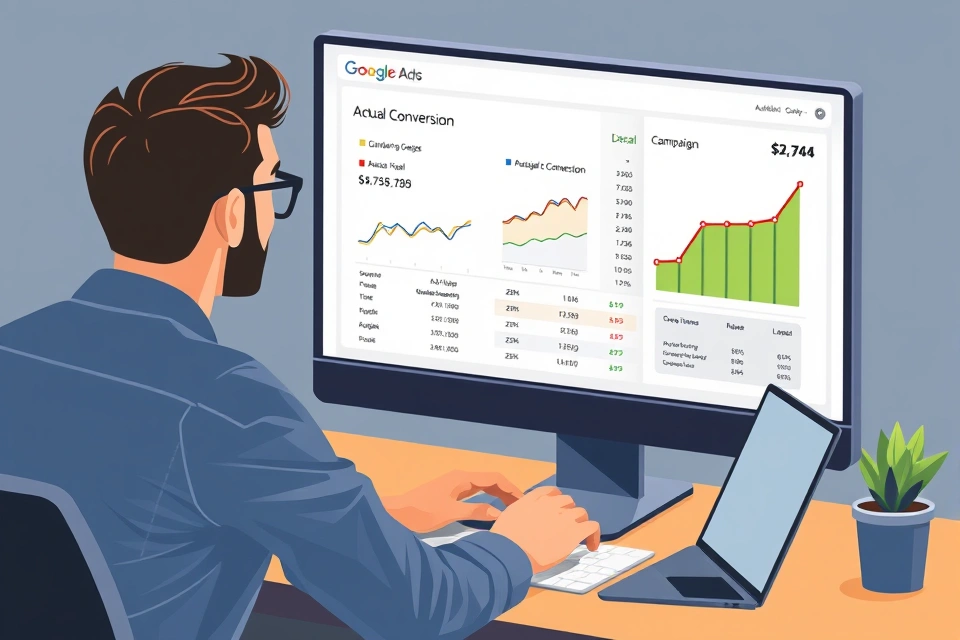
Every campaign starts with an advertiser choosing what they want to happen — a sale, a lead form submission, a phone call, or a store visit. That choice isn't cosmetic; it determines the campaign type Google recommends, which in turn determines whether the campaign runs on Search results, YouTube, or across a mix of surfaces.
The mechanism runs in a fixed sequence:
- The advertiser sets a goal (sales, leads, website traffic, brand awareness, app promotion).
- The goal determines campaign type — a lead-generation goal typically points toward a Search campaign built on keywords, while an awareness goal points toward YouTube or video formats.
- Campaign type determines whether keywords or audience signals drive who sees the ad — Search campaigns match against typed queries, while video and Discovery campaigns match against audience characteristics and viewing behavior.
- The ad enters the relevant auction and appears on the surface tied to that campaign type.
The single choice that matters most for a first-time advertiser is picking the campaign type deliberately rather than accepting whatever Google's setup wizard suggests by default. A goal aimed at direct response (sales, leads) generally fits a keyword-driven Search campaign; a goal aimed at reach or consideration generally fits an audience-driven video or Demand Gen campaign. Confusing the two is the most common reason a new account produces clicks that don't match the advertiser's actual objective.
Keywords are chosen and bids set
A keyword is the search term an advertiser bids on so that ads appear when someone types a matching query. Choosing keywords means predicting the language a prospective customer will use, then attaching a bid — the maximum amount the advertiser is willing to pay for a click — to each one, or to a group of them if using automated bidding.
The sequence from keyword to result works like this:
- A user types a search query.
- Google matches that query against the advertiser's keyword list, using the match type set (broad, phrase, or exact) to decide how closely the query must resemble the keyword.
- Every advertiser whose keywords match enters an ad auction for that specific search.
- The auction ranks ads using a combination of bid amount and ad quality, and decides both whether the ad shows and where it lands on the page.
- If the user clicks, that click is billed and recorded; if the user then completes the goal action — a purchase, a form fill — that's logged as a conversion, provided conversion tracking is installed correctly.
This mechanism explains something the campaign-setup screens don't make obvious: spend follows matched queries, not a fixed placement. An advertiser isn't buying a guaranteed spot on the page for a keyword; they're buying entry into an auction that runs fresh, every time, for every query that matches. A competitor can outrank an ad with a lower bid if their ad quality — largely a measure of expected click-through rate, ad relevance, and landing page experience — is high enough to compensate. This is why two advertisers bidding the same amount on the same keyword can see very different positions.
Performance data shows results below the goal
When conversions run below the goal the advertiser set, the fix isn't a single lever — it's a diagnostic process. Four places usually explain a shortfall, and they should be checked in a fixed order because each affects the ones after it.
| Weak link | What to check | What it looks like |
|---|---|---|
| Keywords | Search terms report, match type breadth | Clicks are arriving on irrelevant queries |
| Targeting | Location, audience, device settings | Impressions go to the wrong audience segment |
| Budget | Daily budget vs. impression share lost to budget | Ads stop showing partway through the day |
| Creative | Ad copy, landing page relevance | High impressions, low click-through rate |
Diagnosing in this order matters because a budget problem can look like a keyword problem — an ad that runs out of budget by noon will show a low conversion count that has nothing to do with keyword quality. Once the weak link is identified, the adjustment should be narrow (tighten one match type, raise one bid, rewrite one headline) and then re-measured over a full cycle before judging the result, since a single day's data rarely reflects a stable pattern. This loop — measure, diagnose, adjust, re-measure — is the ongoing work of running a campaign, not a one-time setup task.
Create a Google Account
Before any campaign exists, the advertiser needs a Google Account, since Google Ads requires that sign-in identity to create and own an advertising account. The setup path runs in order:
- Create or use an existing Google Account.
- Open a Google Ads account and add a billing method — this is where a payment threshold or budget cap gets set.
- Build the first campaign: choose the goal, set a daily or campaign budget, define targeting (keywords for Search, audience for video), and add the ad creative itself.
- Monitor performance through the web interface or through the Google Ads mobile app, which mirrors the core reporting screens for checking spend and conversions away from a desktop.
Cost in this system isn't a flat fee — it's driven by the bids set on keywords and the volume of clicks those bids generate, which means there's no single minimum budget required to start, only a practical floor below which a campaign gets too little traffic to produce meaningful data. Advertisers typically set a daily budget cap in the campaign settings and let the bidding strategy spend up to that ceiling across the day.
Campaign
A campaign is the top working unit inside a Google Ads account, and everything below it — ad groups, keywords, ads — inherits settings from the campaign level. Budget, bid strategy, geographic targeting, and campaign type are all set once at the campaign level and apply to everything nested inside it.
The account hierarchy that campaigns sit within runs: account, then campaign, then ad group, then individual ads and keywords. An ad group is a subdivision inside a campaign that clusters a tight set of related keywords with the ads meant to match them — for example, a shoe retailer's Search campaign might have separate ad groups for "running shoes" and "hiking boots," each with its own keywords and ad copy, while sharing the same overall campaign budget and location targeting. Advertisers who run multiple campaigns typically split them by goal or product line, since campaigns don't share budgets with each other by default.
Campaign type
Campaign type is the format decision that determines which surface an ad appears on and what targeting method drives it. Google's advertising platform offers several types, and the choice between them is really a choice between keyword-driven and audience-driven delivery.
- Search — keyword-driven, ads appear in Google Search results, best suited to demand that already exists (someone actively searching for a product or service).
- YouTube/video — audience-driven, ads appear before, during, or alongside video content, best suited to building awareness or demonstrating a product visually.
- Shopping — product-driven, pulls from a product feed rather than keywords, best suited to ecommerce catalogs.
- Display — audience- and placement-driven, ads appear on partner websites, best suited to remarketing to people who've already visited a site.
Search and Shopping campaigns depend on keyword or product-feed matching against active queries — they capture demand that already exists. YouTube and Display campaigns depend on audience signals — demographics, interests, past behavior — because there's no typed query to match against. Choosing the wrong type for a goal is a common early mistake: a lead-generation business running only Display campaigns will typically see traffic without much conversion activity, because Display targets people who haven't expressed active intent the way a search query does.
Google Ads
Google Ads is the platform itself — the software that holds campaigns, runs auctions, and reports performance. It was known as Google AdWords from its original launch until Google renamed it, and Google's own help documentation confirms the rebrand carried no functional change, only a new name meant to reflect that the platform had grown beyond keyword-based search ads into video, shopping, and display formats.
Distinct from organic search results, which cost nothing per click and rank by relevance signals Google's search algorithm calculates independently, Google Ads listings are paid placements that appear alongside or above organic results, marked as sponsored. An advertiser running Google Ads is not paying to improve organic ranking — the two systems are entirely separate, and spend on one has no direct effect on the other.
Google Ads account
The Google Ads account is the container that holds billing information, every campaign an advertiser runs, and the historical performance data tied to all of them. One account can hold many campaigns simultaneously, each with its own budget and targeting, while sharing one billing setup and one login.
Conversion tracking — the mechanism that tells the account when a click turned into a sale or a lead — is configured at the account level and then applied to individual campaigns. Setting it up typically means adding a small tracking tag to a website's confirmation page, or linking a separate analytics tool, so that the account can attribute a completed action back to the specific ad and keyword that produced the click. Without this step installed correctly, the performance data an account reports will show clicks and cost but no meaningful measure of whether those clicks led anywhere — which makes the diagnostic loop described earlier impossible to run with confidence.
Anyone starting from zero should open the account, wire up billing, and set up conversion tracking before spending on a live campaign — running ads without that tracking in place means paying for clicks with no way to tell which ones worked.